


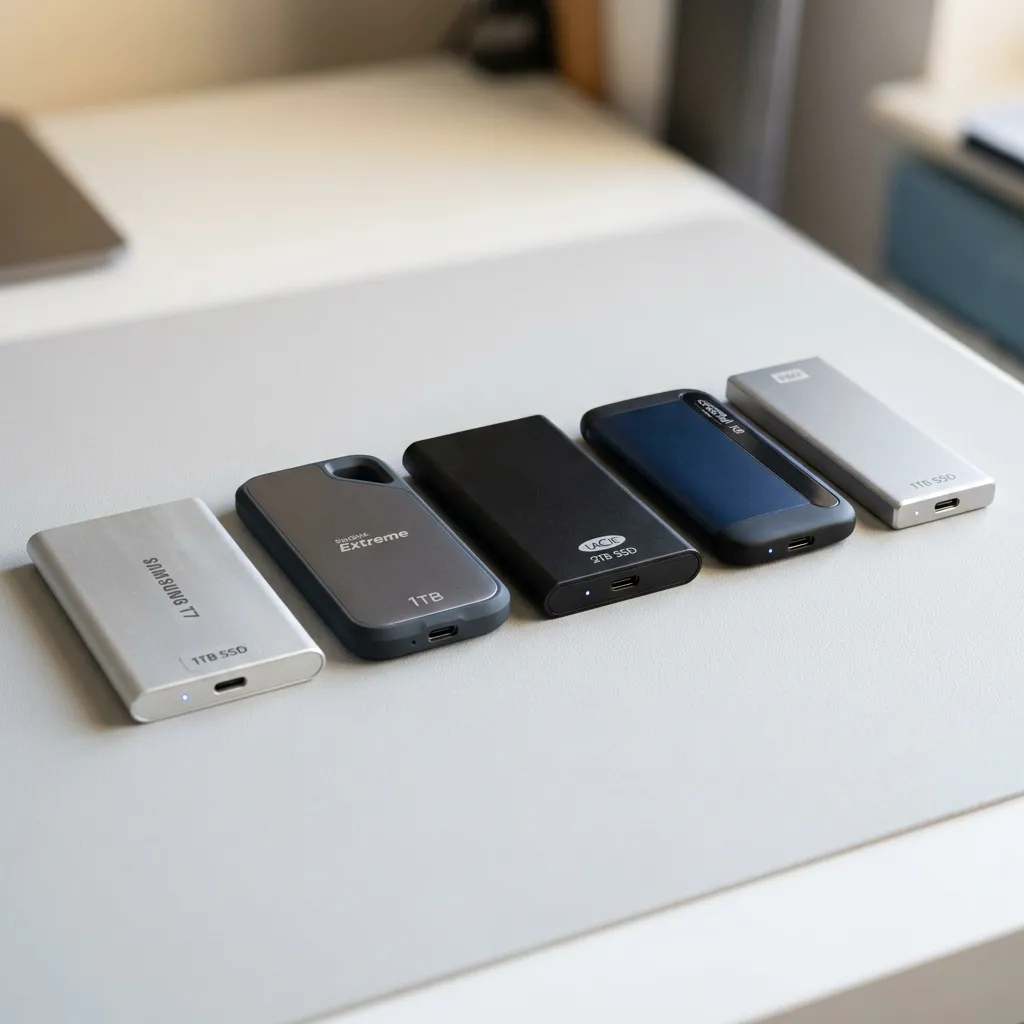
Key Advantages of a Portable SSD

Embracing a portable SSD can revolutionize the way you handle data by delivering improvements in speed, durability, power consumption, and convenience. Traditional external hard drives and USB flash drives simply cannot keep pace with the performance thresholds demanded by modern applications, from professional video production to large-scale data analysis. Below, we explore four compelling advantages that highlight why investing in a portable SSD is a strategic move for individuals across various industries:
- Unmatched Transfer Speeds: Portable SSDs utilize NAND flash memory modules and, depending on the interface, can sustain read and write rates in excess of 1,000 MB/s or more. This swift data throughput drastically reduces waiting times when copying high-resolution files, installing software libraries, or streaming uncompressed content directly from the drive.
- Robust Mechanical Integrity: With no spinning platters or moving read/write heads, solid-state drives exhibit far greater resistance to shock, vibration, and physical drops. Many models today carry MIL-STD-810G certification or IP ratings for water and dust ingress protection, ensuring reliable operation even in harsh or mobile environments.
- Energy Efficiency: The absence of mechanical components results in lower power draw, which can extend the runtime of laptops and portable devices when conducting extensive data transfers. Reduced energy consumption also minimizes heat output, allowing for cooler operation during sustained workloads.
- Compact Form Factor: Modern portable SSD designs emphasize a slim, lightweight profile, often fitting in the palm of your hand. Their diminutive size makes them ideal companions for professionals on the move, whether you’re presenting at a client site, attending a conference, or traveling between studios.
The speed improvements offered by the latest NVMe-based portable SSDs are not merely incremental—they represent a quantum leap over SATA-based drives. In scenarios such as rendering timeline previews or loading large game assets, you will notice near-instantaneous file access, eliminating the delays traditionally associated with disk spin-up times. Users working with datasets for machine learning or scientific computation also appreciate the faster swap times when paging large amounts of memory.
In environments where equipment faces frequent handling or transit, mechanical ruggedness is paramount. Drives equipped with shock-absorbing enclosures and reinforced housing can endure tumbles from desk height without data corruption. Many professional photographers and videographers rely on these hardy solutions to safeguard footage captured in outdoor or fast-paced shoots.
Power efficiency goes hand in hand with thermal management. Lower energy draw translates to cooler operation, reducing the risk of thermal throttling that can degrade long transfer sessions. This efficiency can be crucial when a laptop’s battery is the only power source available on location.
Finally, the compact footprint of popular portable SSD models ensures they slip into a jacket pocket or camera bag without adding bulk. This convenience amplifies as projects grow in size; instead of lugging expansive storage arrays, a single drive can carry terabytes of data.
Given these advantages, it becomes clear why a portable SSD can serve as more than just an aftermarket accessory—it can act as a core component of your workflow, enabling faster project turnarounds, bolstered data protection, and heightened flexibility. In the following sections, we will examine the critical factors to consider when selecting a drive that aligns with your unique performance demands and environmental conditions.
Performance and Interface Considerations
When evaluating portable SSD options, connection standards play a pivotal role in determining actual throughput figures. While drive specifications may cite blazing-fast speeds, a mismatched port on your computer can cap performance below the drive’s potential. Below, we outline the key interface technologies you are likely to encounter today and their impact on data transfer rates:
Thunderbolt 3 and 4
Delivering up to 40 Gbps of bidirectional bandwidth, Thunderbolt 3 and 4 represent the pinnacle of high-speed connectivity for external storage. These protocols leverage PCIe lanes to facilitate sustained read and write operations that easily surpass 2,000 MB/s on compatible portable SSDs, making them ideal for heavy-duty workflows such as 4K/8K video editing, data-intensive simulations, and rapid full-disk backups.
USB 3.2 Gen 2×2
With a theoretical maximum of 20 Gbps, USB 3.2 Gen 2×2 doubles the performance of its Gen 2 predecessor by aggregating two 10 Gbps channels. This standard can be found on premium portable SSDs targeting professionals who need speeds in the neighborhood of 2,000 MB/s without investing in Thunderbolt hardware. It remains less common than USB 3.2 Gen 2 but is gaining traction among midrange to high-end drives.
USB 3.2 Gen 2
The workhorse of current external storage interfaces, USB 3.2 Gen 2 supports up to 10 Gbps. While this bandwidth ceiling may limit some NVMe drives from hitting their absolute peak, it still enables sustained transfers above 1,000 MB/s. The ubiquity of USB-C ports with this standard means broad compatibility across Windows, macOS, Linux, and even certain mobile devices.
Backward Compatibility and Bottleneck Risks
One of the strengths of modern portable SSDs is their backward compatibility with older USB protocols—such as USB 3.1 Gen 1 (5 Gbps) and USB 2.0 (480 Mbps)—via legacy ports. However, connecting a high-performance drive to an older interface will drastically diminish speeds, transforming what would be a near-instant transfer into a prolonged copy operation. Users should verify both the drive’s and the host device’s interface specifications to optimize data throughput.
It’s also important to note that not all USB-C ports are created equal—a single connector can support multiple protocols (DisplayPort, Power Delivery, USB 2.0, USB 3.x) depending on the internal wiring. When shopping for a portable SSD, look for clear labeling or refer to your computer’s technical documentation to confirm whether the USB-C port supports USB 3.2 Gen 2 or above. Additionally, the quality of the cable provided with the drive can influence performance; poorly shielded cables may introduce signal loss, leading to reduced speeds or frequent disconnections.
Another consideration is the host system’s PCIe lane allocation. On laptops, the number of available PCIe lanes dedicated to Thunderbolt controllers or USB host controllers can vary. Some budget-oriented notebooks may share lanes between USB ports, causing contention if you connect multiple high-speed peripherals simultaneously. Professional workstations and modern desktop motherboards tend to offer more robust lane management, ensuring that your portable SSD achieves consistent performance even under heavy I/O loads.
In summary, selecting the right interface ensures that your portable SSD operates at peak efficiency. If your workload demands ultra-low latency and maximum bandwidth, Thunderbolt 3 or 4 is incomparable. For a balance of cost and performance, USB 3.2 Gen 2×2 or USB 3.2 Gen 2 delivers excellent speeds with wider compatibility. Taking the time to match the drive’s interface to your device will pay dividends in reduced wait times and smoother workflows.
Storage Capacity and Physical Durability
When investing in a portable SSD, two critical considerations beyond interface speeds are the drive’s storage capacity and its resilience to environmental stressors. Balancing your data requirements with the protective attributes of the enclosure will help you select a solution that endures both digital demands and physical rigors.
Storage Capacity: Matching Volume to Needs
Portable SSDs typically range from 250 GB up to 4 TB. Entry-level models at 250–500 GB suffice for light tasks, such as document backups, basic photo libraries, or portable applications. For content creators, designers, and video professionals, higher capacities—1 TB to 4 TB—provide headroom for raw footage, multiple project files, and large asset repositories. It’s wise to factor in future growth; while higher-capacity drives command a premium price per gigabyte, they can prevent the need for multiple devices and streamline file management in complex workflows.
Cost Considerations and Long-Term Value
The price-to-performance ratio tends to improve with larger-capacity SSDs, especially during promotional periods. Comparing cost per terabyte across different brands can uncover considerable savings. Additionally, selecting a reliable model with strong warranty coverage may offset the upfront expense by reducing replacement risk over time.
Physical Enclosures and Ruggedness
A drive’s external housing plays a pivotal role in shock absorption, heat dissipation, and ingress protection. Metal chassis options often offer superior thermal conductivity, preventing performance throttling under sustained writes. Rubberized bumpers, silicone sleeves, or integrated shock mounts cushion sensitive NAND modules against impacts. For adventurers and field researchers, models boasting IP65 or IP67 ratings guard against water jets and dust particles, while compliance with MIL-STD-810G offers confidence against drops from up to 2 meters.
Thermal Management and Sustained Performance
Portable SSDs generate heat during heavy I/O operations. Drives featuring built-in heat sinks or thermal pads help channel heat away from the controller and memory chips, maintaining consistent throughput. Some manufacturers implement firmware-level thermal throttling thresholds to prevent damage, but aggressive throttling can interrupt lengthy transfers. If you anticipate long rendering or backup sessions, prioritize drives with robust passive cooling mechanisms.
Travel-Friendly Form Factors
For professionals who routinely move between workstations or locations, the shape and weight of a portable SSD become vital. Slim, pocket-sized designs integrate easily into laptop sleeves or camera bags without occupying excessive space. Look for models that include carrying pouches or keyring attachments, enhancing portability and minimizing the chance of misplacement.
Ultimately, selecting the right combination of storage size and physical durability ensures that your portable SSD not only accommodates your current data volume but also withstands the environmental challenges of your workflow. By investing in a drive with an optimal balance of capacity, enclosure design, and cost-efficiency, you can confidently carry critical data wherever your projects take you.
Security Features and Software Ecosystem

While raw performance and robust hardware are essential, data protection and management tools are equally important when choosing a portable SSD. Today’s drives often bundle encryption, backup utilities, and firmware update software to bolster data security and streamline maintenance.
Hardware Encryption Standards
Built-in AES 256-bit encryption is a common feature among premium portable SSDs. This level of encryption adheres to industry guidelines for safeguarding sensitive information and can prevent unauthorized access if the drive is lost or stolen. Look for models that employ self-encrypting drive (SED) technology, ensuring that encryption processes occur within the hardware, leaving no performance penalties for encryption or decryption tasks.
Software Tools for Automated Backups
Manufacturers frequently include user-friendly software suites that facilitate scheduled backups, incremental file syncing, and version control. Such applications automate data protection, reducing the risk of accidental data loss due to human error. Some utilities also integrate cloud synchronization options, offering redundant protection by mirroring local backups to cloud repositories.
Firmware Updates and Drive Health Monitoring

Regular firmware updates can introduce performance optimizations, expand compatibility, and address security vulnerabilities. Portable SSD vendors often provide desktop or web-based utilities that check for the latest firmware releases and guide users through the installation process. In addition, health monitoring features—such as SMART status reporting—enable proactive alerts when NAND wear levels approach critical thresholds, allowing preemptive data migration.
Cross-Platform Compatibility
Whether you operate on Windows, macOS, or Linux, ensure that the drive’s software ecosystem supports your operating system of choice. Some image backup utilities are exclusive to Windows, while Mac users may require third-party alternatives for full-featured functionality. Verifying compatibility upfront helps prevent workflow disruptions and ensures that you can leverage encryption, backup, and monitoring tools without resorting to potentially insecure third-party applications.
Experts at the National Institute of Standards and Technology emphasize the importance of combining hardware encryption with regular backup routines to mitigate the risk of data breaches and drive failures. For users handling regulated or privacy-sensitive data—such as healthcare records or financial documents—adhering to compliance frameworks like FIPS 140-2 may require specialized drives validated against government standards.
By prioritizing security features and leveraging comprehensive software suites, you can transform a portable SSD into a turnkey data protection solution. Coupling encryption, automated backups, and firmware management ensures that your critical files remain safe, accessible, and performance-optimized throughout the drive’s service life.
Top Portable SSD Models Reviewed
Samsung T7 Shield
The Samsung T7 Shield merges durability with reliable performance in a rubberized exterior rated at IP65 for water and dust resistance. Available in capacities spanning 500 GB to 2 TB, it leverages USB 3.2 Gen 2 to deliver read speeds up to 1,050 MB/s and write rates approaching 1,000 MB/s. Samsung’s Magician software suite offers intuitive firmware updates, drive health analytics, and secure data management tools. Backed by a three-year warranty, the T7 Shield is ideal for outdoor shoots and travel-heavy professionals, although the extra protective casing adds marginal bulk and the price per gigabyte is slightly above average.
SanDisk Extreme Pro V2
Designed for power users, the SanDisk Extreme Pro V2 supports USB 3.2 Gen 2×2, unlocking up to 2,000 MB/s sequential transfer speeds in optimal conditions. Offered in sizes from 500 GB up to 4 TB, its premium aluminum chassis doubles as a heat sink, keeping temperatures in check during extended writing sessions. SanDisk provides a cross-platform reformatting guide to ensure compatibility across Windows and macOS, and the five-year limited warranty underscores the drive’s longevity. To achieve peak performance, pairing with a compatible host port is necessary, which may limit speeds on older machines.
Western Digital My Passport SSD
The Western Digital My Passport SSD combines a sleek, compact metal enclosure with password protection and hardware encryption software for secure file access. Its read/write performance hovers around 1,050 MB/s and 1,000 MB/s over USB 3.2 Gen 2, and it is available in 500 GB, 1 TB, and 2 TB configurations. WD’s proprietary backup application provides scheduled sync options, making routine backups effortless. While budget-friendly and stylish, the drive lacks an official IP rating, making it better suited for stationary setups than rugged field use.
Crucial X8 Portable SSD
Featuring an anodized aluminum shell, the Crucial X8 achieves drop resistance of up to 7.5 feet and delivers consistent speeds up to 1,050 MB/s via a USB 3.2 Gen 2 interface. Available in 500 GB, 1 TB, and 2 TB capacities, it undercuts many competitors on price while offering broad compatibility across Windows, macOS, and Android devices. Crucial’s Storage Executive software offers real-time drive monitoring and firmware management. The lack of hardware encryption may deter users with stringent security requirements, but the three-year limited warranty provides reasonable assurance for general-purpose use.
Seagate Barracuda Fast SSD
The Seagate Barracuda Fast SSD offers a slim, minimalist profile that slips into pockets with ease. Connecting via USB 3.0, it yields transfer rates up to 540 MB/s, and it comes in 500 GB, 1 TB, and 2 TB models. Seagate’s Toolkit software facilitates file sync and backup routines, and the drive’s basic form factor makes it an attractive entry point for users needing moderate speeds for routine backups and document storage. Although it includes a three-year warranty, its performance lags behind modern NVMe rivals when handling large media files.
LaCie Rugged SSD Pro
Engineered for extreme environments, the LaCie Rugged SSD Pro features IP67 water and dust resistance alongside advanced shock protection rated up to drops from 3 meters. Leveraging Thunderbolt 3, it achieves blistering speeds up to 2,800 MB/s, catering to editors who demand instantaneous access to massive 4K and 8K video assets. The integrated USB-C cable simplifies connectivity, and the Seagate Toolkit offers backup and performance optimization features. Available in 1 TB and 2 TB options and supported by a five-year warranty, its higher cost is offset by unparalleled durability and speed.
Together, these six portable SSDs represent the pinnacle of external storage innovation this year (2026). By weighing the performance metrics, protection features, and price points outlined above, you can identify the drive that best aligns with your professional or personal requirements.
Conclusion
Selecting the ideal portable SSD today requires a careful balance between speed, capacity, durability, security, and budget. Our in-depth examination of interface standards highlights the importance of matching drive and host port capabilities to unlock true NVMe performance. The analysis of storage capacities underscores the need to plan for current and future data volumes, while the focus on rugged enclosures and thermal management addresses the challenges of mobile and sustained workflows. Equally, integrated encryption, automated backup tools, and regular firmware updates form the backbone of a secure, reliable data management strategy.
This year, the leading portable SSD models—ranging from the ruggedized Samsung T7 Shield and LaCie Rugged SSD Pro, to the cost-effective Seagate Barracuda Fast SSD—offer tailored solutions for diverse use cases. Whether you prioritize headline-grabbing transfer rates, military-grade shock resistance, or an accessible price-to-performance ratio, there is a drive perfectly suited to your needs. By following the guidelines outlined in this guide and leveraging insights from authoritative sources, you can make an informed choice that enhances productivity, safeguards critical files, and adapts to evolving storage demands. Invest in a high-quality portable SSD today and experience the transformative impact of reliable, high-speed external storage on your workflow.
Frequently Asked Questions
What are the benefits of NVMe-based portable SSDs over SATA-based models?
NVMe-based portable SSDs use the PCIe interface for significantly higher bandwidth, delivering sustained read/write speeds often exceeding 2,000 MB/s. This leads to faster file transfers, quicker application loads, and reduced latency, especially beneficial for video editing, large data sets, and real-time analytics.
Can I use a high-speed portable SSD with older USB ports?
Yes, most portable SSDs are backward compatible with older USB standards (such as USB 3.1 Gen 1 and USB 2.0), but performance will be limited to the maximum speed of the host port. For example, a USB 3.2 Gen 2 drive will cap at 5 Gbps on a USB 3.1 Gen 1 port.
How do I maintain optimal performance and prevent thermal throttling?
Use the cable provided by the manufacturer or a certified equivalent, connect to the correct high-speed port on your device, and ensure the drive’s enclosure offers adequate passive cooling (metal chassis or built-in heat sinks). Avoid extended full-capacity transfers in confined spaces and allow the drive to rest if it becomes excessively warm.
Is hardware encryption necessary for a portable SSD?
If you handle sensitive or regulated data—such as financial records or personal information—hardware-based AES 256-bit encryption is strongly recommended. Self-encrypting drives (SEDs) perform encryption in hardware without impacting throughput and safeguard data if the drive is lost or stolen.
What is the difference between a portable SSD and an external HDD?
A portable SSD uses flash memory (NAND) with no moving parts, making it faster, more durable, and more energy-efficient than an external HDD, which relies on spinning disks and mechanical parts.
How long does a portable SSD last?
Most portable SSDs last 5–10 years depending on usage, write cycles, and build quality. Heavy workloads like video editing may reduce lifespan slightly, but modern SSDs are highly reliable.
Can I use a portable SSD for gaming?
Yes, portable SSDs are excellent for gaming. They reduce load times, improve game installation speed, and can store large AAA titles, especially when connected via USB 3.2 or Thunderbolt.
Do portable SSDs work with smartphones and tablets?
Many modern smartphones and tablets support portable SSDs via USB-C or OTG. This allows users to transfer photos, videos, and files directly without needing a computer.
How can I protect data on a portable SSD?
You can protect data using hardware encryption (AES 256-bit), strong passwords, backup software, and cloud syncing. Always safely eject the drive to avoid corruption.



Leave a Reply