


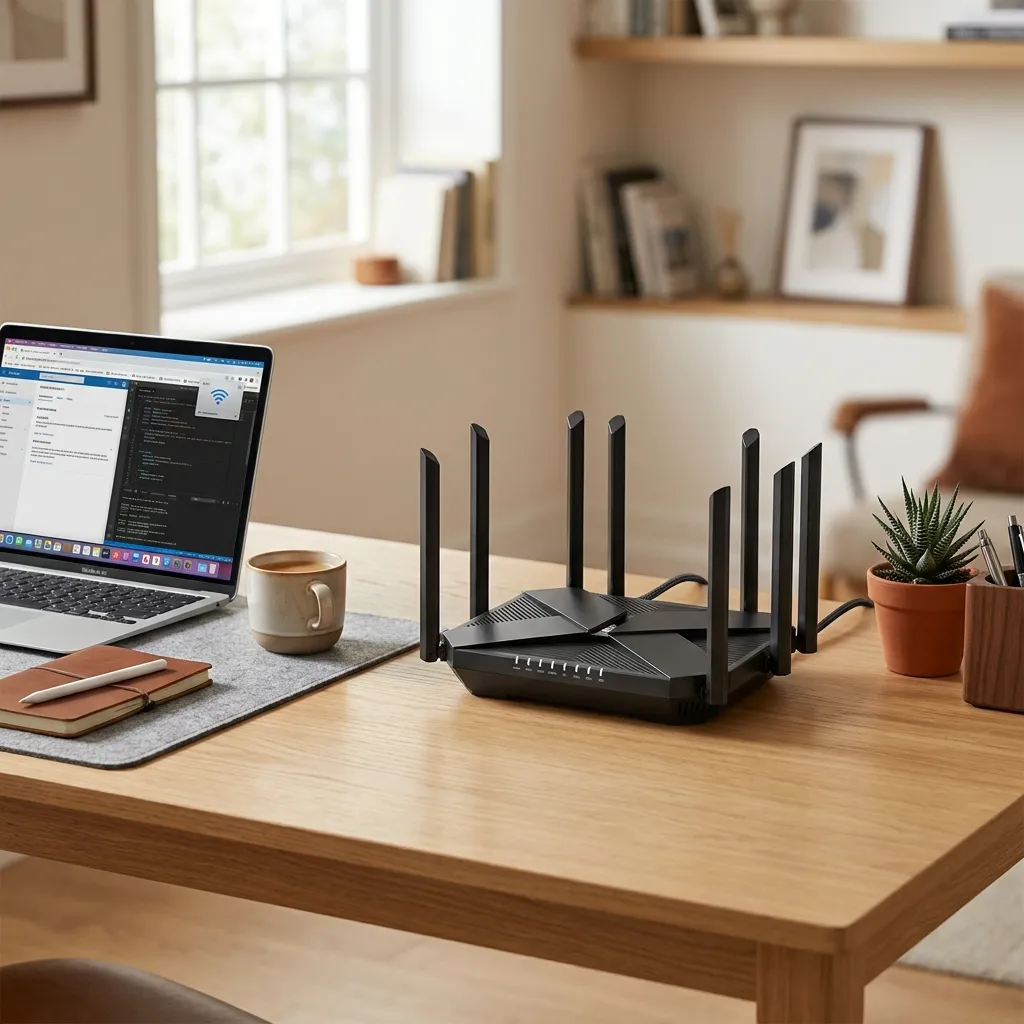
Wi-Fi 6 routers deliver faster speeds, lower latency, and improved device capacity using 802.11ax technology, enhancing streaming, gaming, and smart home performance while offering better security, efficiency, and future-proof connectivity.
In today’s digital landscape, having a reliable and high-speed internet connection is more critical than ever. Whether you’re streaming 4K movies, participating in online gaming tournaments, or juggling multiple smart home devices, network performance can make or break your experience. That’s where investing in a Wi-Fi 6 router comes into play. As the next evolution of wireless networking based on the 802.11ax standard, Wi-Fi 6 routers deliver faster throughput, reduced latency, and enhanced capacity to support a growing number of connected devices. This year, homeowners and small businesses are upgrading to Wi-Fi 6 routers to future-proof their networks for years to come.
This comprehensive article explores the key benefits of Wi-Fi 6 technology, guides you through choosing the best router for your needs, reviews top models currently on the market, offers optimization tips for maximum performance, and examines security features that safeguard your digital world. Along the way, we reference leading authorities—such as the Federal Communications Commission and the Institute of Electrical and Electronics Engineers —to ensure you’re getting the most accurate and up-to-date information. By the end, you’ll have everything you need to confidently select and configure a Wi-Fi 6 router that keeps pace with modern demands and delivers a seamless, high-speed connection throughout your entire environment.
The Advantages of Wi-Fi 6 Router Technology

One of the primary reasons to upgrade to a Wi-Fi 6 router is the substantial improvement in speed. Traditional Wi-Fi 5 routers (802.11ac) cap out at theoretical speeds around 3.5 Gbps, whereas many Wi-Fi 6 models support combined dual-band throughput exceeding 6 Gbps. This boost is achieved through advanced modulation schemes known as 1024-QAM and upgraded channel widths. In practical terms, that means faster downloads, smoother HD or 4K streaming, and responsive cloud-based applications.
Beyond raw speed, Wi-Fi 6 routers excel in dense, device-rich environments. Orthogonal Frequency-Division Multiple Access (OFDMA) breaks each wireless channel into sub-channels, allowing simultaneous data transmission to multiple devices with minimal contention. In bustling homes packed with smartphones, tablets, security cameras, and voice assistants, this technology reduces latency and improves overall network efficiency.
Multi-User Multiple-Input Multiple-Output (MU-MIMO) further enhances capacity by communicating with multiple devices in parallel instead of sequentially. Meanwhile, Target Wake Time (TWT) conserves battery life on IoT gadgets by scheduling when they wake up to send or receive data. The combination of OFDMA, MU-MIMO, and TWT positions the Wi-Fi 6 router as an ideal hub for both high-bandwidth tasks and low-power smart sensors.
Another key advantage is improved performance in interference-prone settings. Many Wi-Fi 6 routers support the latest WPA3 security standard, which not only delivers stronger encryption but also features robust protection against brute-force and dictionary attacks. When paired with automatic firmware updates and intrusion detection, these routers represent a significant step forward in network resilience and user privacy.
Finally, the adoption of Wi-Fi 6 is backed by industry-wide momentum. Major chipset vendors and device manufacturers are incorporating 802.11ax radios into laptops, phones, and even gaming consoles. As the ecosystem grows, a Wi-Fi 6 router ensures that all your current and future devices operate at peak capability, making it a sound investment in today’s hyperconnected world.
How to Choose the Best Wi-Fi 6 Router
Selecting the right Wi-Fi 6 router involves balancing performance, coverage, security, and budget. First, consider the speed rating. Routers are often labeled AX3000, AX5400, AX6000, or higher, indicating the combined theoretical throughput across both 2.4 GHz and 5 GHz bands. An AX3000 router might suit a small apartment with a handful of devices, while power users streaming multiple 4K videos and gaming concurrently should look for AX6000 or better.
Next, assess coverage requirements. External antennas and beamforming technologies focus wireless signals toward connected devices, extending range. For larger homes or multi-story buildings, mesh-capable Wi-Fi 6 routers let you add satellite nodes, ensuring seamless connectivity throughout your property. Mesh systems automatically route traffic across the fastest path, minimizing dead spots and simplifying management via a unified mobile app.
Advanced feature sets also play a role. Quality of Service (QoS) controls let you prioritize bandwidth for gaming, video calls, or work applications. OFDMA and MU-MIMO support multiple simultaneous connections with minimal lag. USB and multi-gig Ethernet ports enable direct-attached storage or high-speed wired backhaul to network-attached storage (NAS) devices. If you run a small office or media production environment, these extras can greatly enhance productivity.
Security cannot be overlooked. Routers that support WPA3 encryption, automatic firmware patching, and threat detection protect against unauthorized access and malware. Some models include built-in VPN servers, firewall management, and parental controls, giving you granular oversight over connected users and devices.
Finally, factor in user experience. Intuitive mobile apps, clear web interfaces, and one-click setup wizards reduce headaches during installation and maintenance. Customer support and warranty coverage contribute to long-term peace of mind. By considering these criteria—speed, coverage, features, security, and ease of use—you’ll narrow your choices and pinpoint the best Wi-Fi 6 router for your unique network demands.
Top Wi-Fi 6 Router Models Reviewed

This section highlights leading Wi-Fi 6 routers available today, with diverse options tailored to different budgets and use cases.
Asus RT-AX88U PRO
The Asus RT-AX88U PRO is a dual-band, AX6000 router renowned for its blend of speed and security. It delivers up to 1148 Mbps on 2.4 GHz and 4804 Mbps on 5 GHz, powered by a quad-core processor. Eight Gigabit LAN ports plus a 2.5 Gbps WAN port offer flexible wired connectivity for NAS drives and gaming PCs. Advanced firmware features include AiProtection Pro, lifetime security updates, and adaptive QoS. While its design is sizeable and its price is on the higher end, it remains a top pick for gamers and content creators requiring enterprise-style performance at home.
Netgear Nighthawk RAX50
Budget-conscious users will appreciate the Netgear Nighthawk RAX50. As an AX5400 router, it provides up to 600 Mbps on 2.4 GHz and 4800 Mbps on 5 GHz with beamforming+ to enhance coverage. The Nighthawk app simplifies setup and parental controls, making it family-friendly. Although it lacks a multi-gig LAN port and occasionally exhibits firmware quirks, its combination of reliable mid-range throughput and intuitive management makes it a solid value-packed choice.
TP-Link Archer AX90
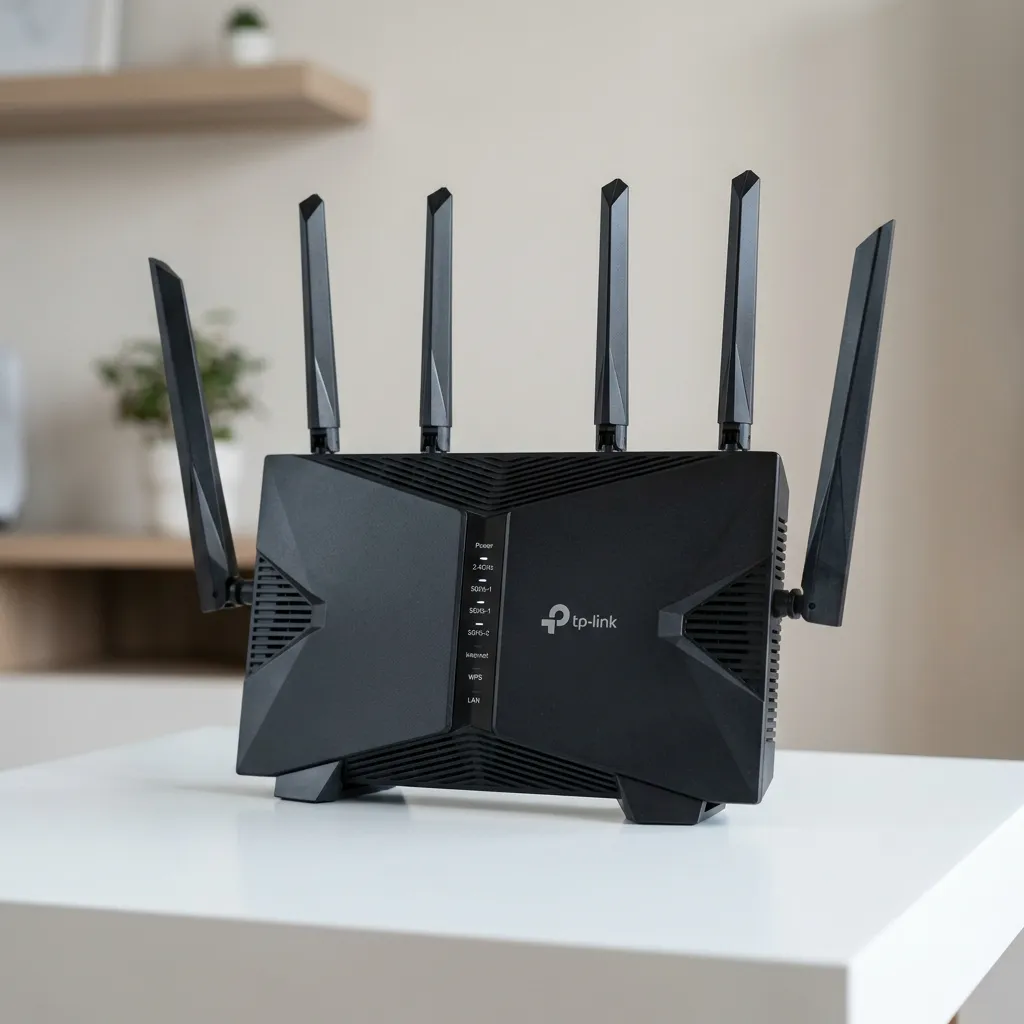
For busy households juggling multiple 4K streams and devices, the TP-Link Archer AX90 offers tri-band AX6600 performance. With one 2.4 GHz band (1200 Mbps) and two 5 GHz bands (4800 Mbps + 2400 Mbps), it efficiently distributes traffic across channels. HomeShield security features include intrusion prevention, IoT protection, and robust parental controls. While its footprint and interface complexity may deter some, the AX90 excels in dense-device scenarios where bandwidth contention is a concern.
Google Nest Wifi Pro
Those invested in the Google ecosystem will find the Nest Wifi Pro mesh router compelling. Compact and aesthetically pleasing, it delivers AX5400 speeds (574 Mbps on 2.4 GHz and 4800 Mbps on 5 GHz) and supports Matter and Thread for smart home compatibility. Expansion units extend coverage seamlessly, managed through the Google Home app. Advanced users may miss granular QoS settings, but for most consumers seeking hassle-free, whole-home Wi-Fi 6, this model hits the mark.
Linksys MR7500 Atlas Max 6E
Stepping into the 6 GHz band, the Linksys MR7500 Atlas Max 6E pushes tri-band connectivity with speeds of up to 600 Mbps (2.4 GHz), 1200 Mbps (5 GHz), and 4800 Mbps (6 GHz). EasyMesh support allows flexible expansion, and WPA3 security enhances protection. While few devices currently fully utilize the 6 GHz spectrum, early adopters aiming for future-proof performance will appreciate its ultra-low latency and reduced interference.
Synology RT6600ax
Prosumer and small office environments gravitate toward the Synology RT6600ax, which pairs AX6000 throughput with Synology Router Manager (SRM) software. Equipped with three 2.5 Gbps LAN ports and one 2.5 Gbps WAN port, it supports VPN servers, VLAN tagging, and advanced traffic control. The extensive plugin ecosystem and robust security make it ideal for network administrators seeking deep customization. Its steeper learning curve and premium cost are balanced by unmatched control and reliability.
Optimizing Your Wi-Fi 6 Network for Maximum Performance
After selecting and installing your Wi-Fi 6 router, fine-tuning settings ensures you reap the full benefits of 802.11ax. Start by placing the router in a central, elevated location away from obstructions and electronic interference. Avoid stacking it with other devices or placing it near large metal objects.
Next, update the firmware to the latest release. Manufacturers regularly release patches that improve stability, security, and compatibility with new devices. Check for updates via the router’s mobile app or web portal. Enable automatic updates if available.
Configure dual-band settings by naming each band distinctly (for example, YourNetwork-2G and YourNetwork-5G). This allows devices to connect to the optimal frequency. Use the 2.4 GHz band for longer-range, low-bandwidth tasks, and the 5 GHz band for latency-sensitive applications like gaming or video conferencing. If you own a tri-band router, assign a unique SSID to the additional 5 GHz band reserved for high-demand devices.
Leverage Quality of Service (QoS) rules to prioritize traffic. Assign top priority to gaming consoles, VoIP phones, or streaming devices to prevent lag. Some routers offer adaptive QoS that dynamically adjusts priorities based on real-time usage.
Enable OFDMA and MU-MIMO features to maximize simultaneous connections. If privacy is a concern, activate WPA3 encryption and disable WPS (Wi-Fi Protected Setup), which can be vulnerable to brute-force attacks. For advanced users, set up a guest network to isolate visitors from your main network and reduce security risks.
Finally, monitor network performance periodically. Many routers include analytics that display real-time throughput, device bandwidth usage, and signal strength. By reviewing these metrics, you can identify bottlenecks, adjust channel settings to minimize interference, and ensure every device enjoys fast, consistent connectivity.
Security and Future-Proofing with a Wi-Fi 6 Router
Security remains a top priority when deploying any router, and Wi-Fi 6 models come equipped with the latest safeguards. WPA3 encryption offers individualized data encryption for open networks and strengthens password-based authentication. Pair this with regular firmware updates to protect against newly discovered vulnerabilities. Many manufacturers integrate intrusion detection systems (IDS) and intrusion prevention systems (IPS) to automatically block malicious traffic.
Consider enabling Virtual Private Network (VPN) capabilities if you handle sensitive data. Routers like the Synology RT6600ax and Asus RT-AX88U PRO provide built-in VPN servers, allowing secure remote access to your home or office network. This feature is invaluable for remote workers and small businesses seeking a trustworthy communication channel.
To future-proof your network, look for Wi-Fi 6 routers that support EasyMesh or proprietary mesh expansions. As new 802.11ax devices emerge, you can seamlessly add satellite units to boost coverage without replacing your entire system. Additionally, Wi-Fi 6E models open access to the 6 GHz band, unlocking fresh channels and minimizing spectrum congestion.
Emerging applications—like augmented reality (AR), virtual reality (VR), and cloud-based gaming—will demand ultra-low latency and rapid data transfer. A robust Wi-Fi 6 infrastructure ensures you’re prepared for these advancements. For specialized environments such as telemedicine or industrial IoT, features like Target Wake Time (TWT) and advanced traffic segmentation create tailored performance profiles for mission-critical devices.
Finally, stay informed by following reputable sources such as the Federal Communications Commission and the Institute of Electrical and Electronics Engineers. These organizations publish standards updates, best practice guidelines, and security advisories that help you maintain a resilient and future-ready wireless network throughout the year.
Conclusion
Upgrading to a Wi-Fi 6 router in today’s connected environment is a strategic decision that delivers faster speeds, lower latency, and heightened security. By understanding the key benefits of Wi-Fi 6 technology, carefully evaluating features, and optimizing your network settings, you can ensure seamless performance for gaming, streaming, remote work, and smart home automation. From the power-packed Asus RT-AX88U PRO and the user-friendly Google Nest Wifi Pro to the future-minded Linksys Atlas Max 6E, there’s a Wi-Fi 6 router to match every requirement and budget. Embrace the momentum behind the 802.11ax standard, and enjoy ultra-reliable connectivity that meets the demands of today and the innovations of tomorrow.
FAQs
What is a Wi-Fi 6 router?
A Wi-Fi 6 router uses the 802.11ax standard to deliver faster speeds, lower latency, and improved performance for multiple connected devices in modern home and office networks.
Why should I upgrade to Wi-Fi 6?
Upgrading to Wi-Fi 6 improves streaming quality, gaming performance, and smart device connectivity while reducing network congestion in high-traffic environments.
Is Wi-Fi 6 compatible with older devices?
Yes, Wi-Fi 6 routers are backward compatible with older Wi-Fi standards, allowing all existing devices to connect without issues.
What are the main benefits of Wi-Fi 6 technology?
Key benefits include higher speed, better efficiency, increased device capacity, improved security (WPA3), and reduced latency for smoother online experiences.
Do I need a mesh system with Wi-Fi 6?
A mesh Wi-Fi 6 system is recommended for large homes or multi-floor buildings to ensure strong, consistent coverage throughout the entire space.
Is Wi-Fi 6 good for gaming and streaming?
Yes, Wi-Fi 6 significantly reduces lag and buffering, making it ideal for online gaming, 4K/8K streaming, and real-time applications.
How secure are Wi-Fi 6 routers?
Wi-Fi 6 routers often include WPA3 encryption, firewall protection, and automatic updates to enhance network security and protect user data.
Can Wi-Fi 6 improve smart home performance?
Yes, it efficiently manages multiple IoT devices simultaneously, ensuring stable connections for smart home systems like cameras, speakers, and sensors.
Is it difficult to set up a mesh Wi-Fi 6 system?
Most mesh-capable Wi-Fi 6 routers feature intuitive mobile apps and one-click setup wizards. After configuring your main unit, additional node pairs automatically extend coverage without complex network changes. For advanced users, custom settings remain accessible via the router’s web interface.



Leave a Reply