



Currently, the market offers a wide range of models that cater to diverse needs—from compact 60% layouts tailored for minimalists to full-size boards equipped with dedicated media controls. Advances in low-profile designs, hot-swappable sockets, and advanced software suites have transformed these peripherals into true extensions of a user’s workflow or gaming setup. In this article, we dive into the top mechanical keyboards available this year, explore essential features to consider when making a selection, and provide guidance on maintaining your device for years of reliable performance. Whether you seek a board for rapid typing, competitive gaming, or hybrid office and home use, understanding the key factors that distinguish these products will help you identify the ideal mechanical keyboard that aligns with your preferences and budget.
Why Choose Mechanical Keyboards?
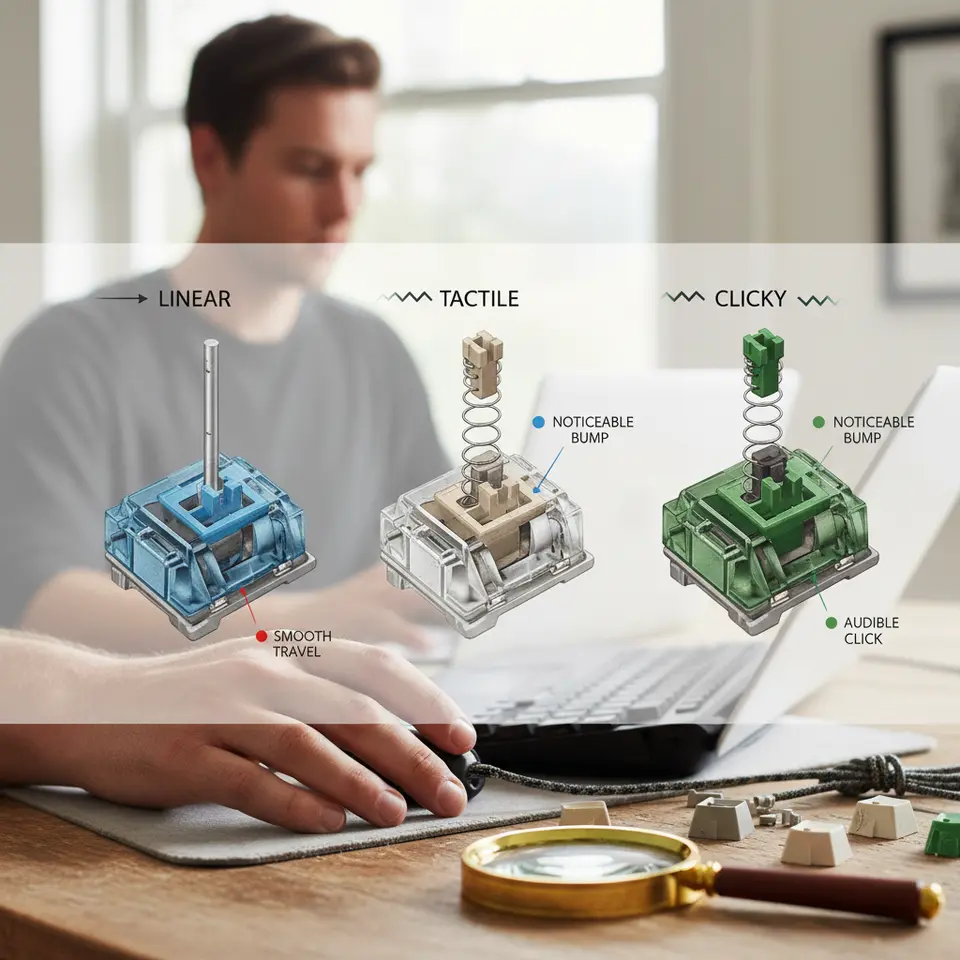
Mechanical keyboards stand apart from their membrane counterparts by employing discrete switch mechanisms beneath each keycap. This fundamental architectural difference delivers several advantages. First, tactile and clicky switch variants provide distinct physical feedback and auditory cues that enhance typing accuracy and speed. Linear switches offer smooth keystrokes with minimal resistance, while tactile switches craft a noticeable bump at actuation. Many models also feature hot-swappable switch sockets, enabling effortless swap-outs without soldering.
In terms of durability, mechanical keyboards often exceed rigorous standards set by testing bodies such as the National Institute of Standards and Technology (NIST), with some switches rated for over 100 million actuations. Quality builds frequently incorporate aircraft-grade aluminum frames or reinforced plastic housings alongside PBT double-shot keycaps that resist shine and wear. Ergonomic considerations—such as adjustable feet, split layouts, and wrist supports—further contribute to comfort during extended typing sessions.
Advanced software platforms accompanying many boards grant full control over RGB lighting, macro programming, and layered key remapping. Whether you prefer onboard customization or a cloud-synced profile, these utilities allow you to tailor your mechanical keyboard’s behavior to specific applications, games, or productivity tasks. Given these compelling benefits, mechanical keyboards continue to dominate among enthusiasts, developers, writers, and gamers seeking responsive and long-lasting peripherals.
Top 6 Mechanical Keyboards Reviewed
Below is an expert evaluation of the leading six mechanical keyboards you can invest in this year. Each entry covers core specifications, standout strengths, and ideal use cases.
Keychron K8 Pro Wireless
The Keychron K8 Pro features a tenkeyless design with hot-swappable switch compatibility and Bluetooth 5.1 connectivity. With options for Gateron optical, red, or blue switches, it strikes a balance between responsiveness and tactile satisfaction. Its aluminum frame and double-shot PBT keycaps ensure durability, while per-key RGB lighting can be configured through Keychron’s companion software. Boasting up to 240 hours of battery life on a single charge, this model suits both desktop setups and mobile workflows.
Corsair K70 RGB MK.2
The Corsair K70 RGB MK.2 remains a favorite among gamers for its Cherry MX switch variety and aircraft-grade aluminum build. Equipped with dedicated media controls, a detachable wrist rest, and per-key illumination via iCUE, it delivers premium functionality. Full N-key rollover and 100% anti-ghosting guarantee accurate keystroke registration during intense sessions. Its textured volume roller and low-profile chassis underscore its performance-driven design.
Ducky One 3 Mini
Compact and robust, the Ducky One 3 Mini offers a 60% layout loved by enthusiasts who value minimal desk real estate. It pairs Cherry MX or silent Ducky switches with thick PBT double-shot keycaps, delivering a sturdy typing surface with reduced flex. Onboard programming and detachable USB-C connectivity enable deep customization without needing external software, making it a top pick for streamers and minimalists.
Logitech G413
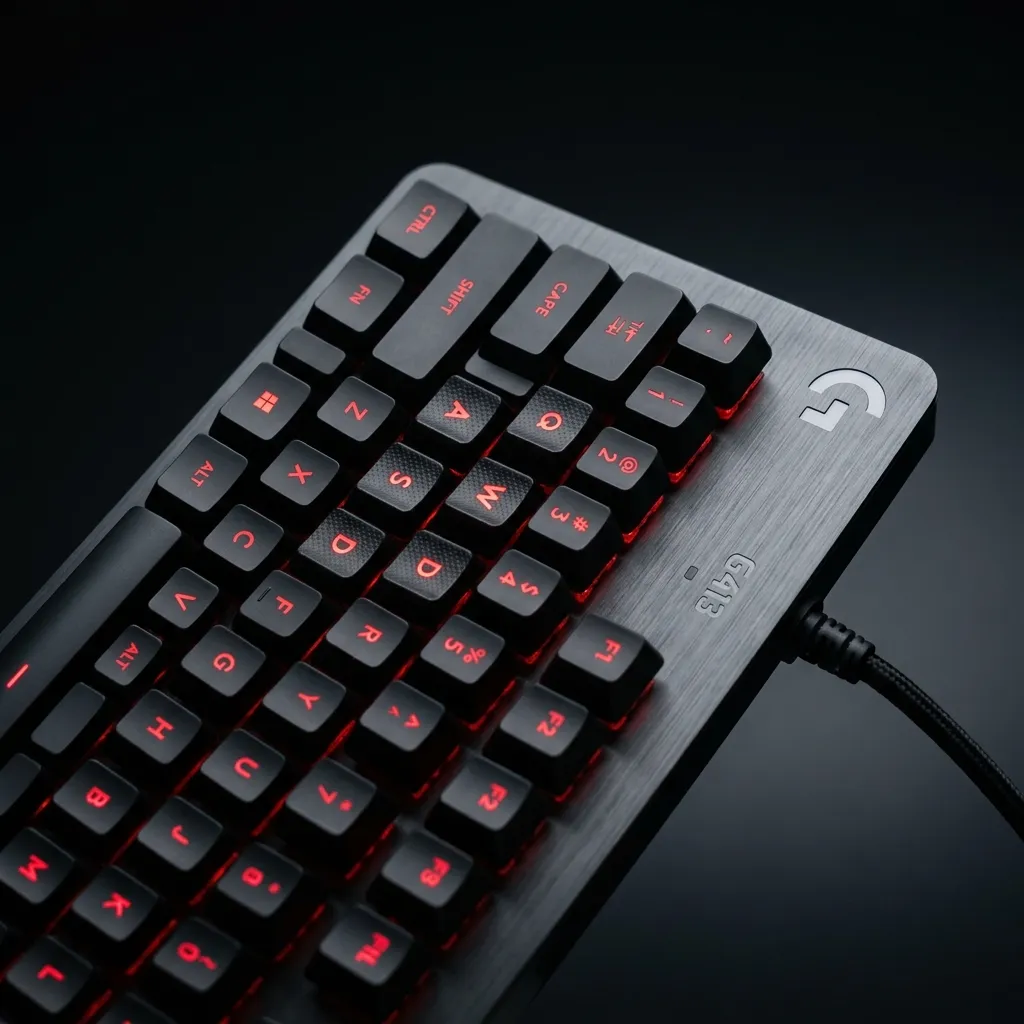
The Logitech G413 integrates Romer-G Tactile switches within a brushed aluminum-magnesium top case for a sleek, sturdy chassis. Adjustable legs, a USB passthrough, and cable management channels add practical touches. Its backlighting supports five preset effects at three brightness levels. Offering reliable performance at an accessible price point, it caters to budget-conscious users seeking a solid typing experience.
Razer BlackWidow V4 Pro
Razer’s BlackWidow V4 Pro introduces new Optical switches with accelerated actuation and enhanced durability. A full-size layout includes a digital multifunction dial, dedicated media keys, and Razer Chroma RGB supporting 16.8 million colors. Hybrid switch plates and internal dampening foam minimize noise while preserving satisfying feedback. Onboard memory and Razer Synapse integration let you store profiles and macros for varied workflows.
SteelSeries Apex Pro
The SteelSeries Apex Pro leverages OmniPoint adjustable switches, permitting customizable actuation points from 0.4mm to 3.6mm. Its aircraft-grade aluminum frame and magnetic wrist rest combine durability with comfort. An integrated OLED smart display can show game statistics, Discord alerts, or custom GIFs. Dynamic per-key RGB lighting synchronizes with games through the SteelSeries Engine, making it a go-to choice for competitive players and power users.
Essential Features and Customization Options
When selecting a mechanical keyboard, understanding core components and personalization capabilities is crucial. Below are the primary elements to evaluate:
Switch Types and Feel
Switches dictate actuation force, feedback, and noise. Linear switches (e.g., Cherry MX Red) deliver smooth travel and low sound levels. Tactile variants (e.g., Cherry MX Brown) present a noticeable bump without the click. Clicky switches (e.g., Cherry MX Blue) combine tactile feedback with an audible click. Optical and Hall effect switches offer alternative actuation methods with extended lifespans. Hot-swappable boards let you experiment by changing switch modules effortlessly.
Keycap Material and Profile
PBT keycaps resist shine and hold up under heavy use, while ABS caps often feel smoother initially but wear faster. Double-shot molding embeds legends in a separate layer, ensuring longevity. Profile shapes—from OEM to SA or XDA—affect finger positioning and typing ergonomics. Profiles with sculpted rows can reduce finger travel and enhance comfort.
Form Factor
Full-size keyboards include dedicated numpads, which benefit data entry and spreadsheet work. Tenkeyless (TKL) variants remove the number pad to free desk space. Compact layouts (60%, 65%) eliminate navigation clusters, requiring function layers for arrows and media keys. Choosing the right form factor hinges on available workspace and personal workflow habits.
Connectivity, Lighting, and Software Integration

Another critical consideration is how your keyboard interfaces with devices and how lighting and software shape user experience.
Wired vs. Wireless
Wired connections guarantee minimal latency and uninterrupted power. For environments demanding absolute consistency—such as esports—this is often preferred. Wireless options, including Bluetooth and dedicated 2.4GHz dongles, provide untethered convenience, though they may introduce marginal input lag. Assess battery capacity and multi-device pairing if you plan to switch between a laptop, tablet, or desktop.
RGB and Backlighting
Backlighting enhances visibility in low-light conditions and adds personalization. Basic boards feature single-color zones, while higher-tier models enable per-key RGB control with millions of colors. Dynamic effects, reactive typing animations, and game-synced lighting can be programmed via manufacturer software.
Software Ecosystems
Proprietary utilities like Corsair iCUE, Razer Synapse, and SteelSeries Engine enable key remapping, macro creation, and lighting choreography. Ensure the software is intuitive, lightweight, and compatible with your operating system. Some keyboards offer onboard memory to store profiles, eliminating the need to install software on every machine.
Durability, Maintenance, and Ergonomic Considerations
Longevity and user comfort are paramount when investing in a mechanical keyboard. Quality materials and thoughtful design can extend the life of your peripheral.
Build Quality and Materials
Look for frames constructed from aluminum or high-grade polycarbonate. Minute details—such as plate material, soldered vs. hot-swappable PCBs, and reinforced mounting points—affect overall stiffness and typing stability. Braided cables and water-resistant coatings help guard against accidental spills and wear.
Cleaning and Upkeep
Routine cleaning prevents debris buildup beneath keycaps. Use compressed air or a soft brush to remove dust. Wipe surfaces with a slightly damp cloth and use isopropyl alcohol wipes for stubborn residue. Periodically remove keycaps to deep-clean switches and the board surface. Following guidelines from the Occupational Safety and Health Administration (OSHA) for ergonomic setup can also minimize strain during prolonged use.
Ergonomic Features
Adjustable tilt legs, detachable wrist rests, and split-angled layouts reduce wrist extension and promote neutral hand positions. Some models offer tenting options or customizable inclines to fit individual comfort needs. Ergonomic considerations become especially important for those who type or game for hours daily, helping to prevent repetitive strain injuries.
Conclusion
In summary, mechanical keyboards deliver exceptional typing precision, durability, and customization—attributes that make them a compelling choice in today’s digital landscape. By evaluating switch types, keycap materials, form factors, connectivity options, and ergonomic features, you can pinpoint the perfect model to match your workflow or gaming style. The six keyboards reviewed here exemplify the best in innovation, offering wireless flexibility, robust software suites, and premium build quality.
Ultimately, investing in the right mechanical keyboard this year enhances productivity, comfort, and overall enjoyment during extended sessions at the desk. Consider your specific needs—whether that’s silent operation for shared spaces, rapid actuation for competitive play, or customizable lighting for creative setups—and you’ll find a board that resonates with your personal preferences. With proper maintenance and thoughtful ergonomic adjustments, your chosen mechanical keyboard will provide reliable performance for years to come.



Leave a Reply