


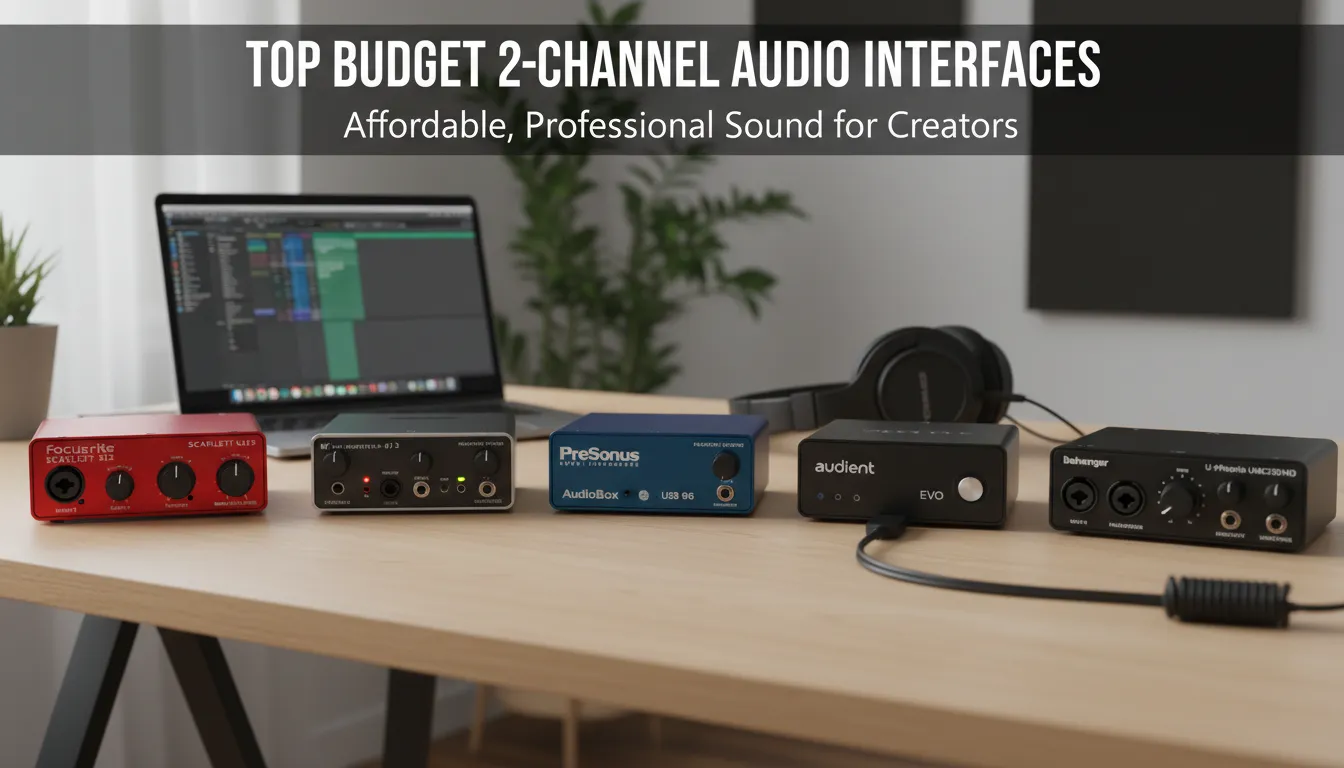
Explore top 2 channel audio interfaces for home studios with key features, comparisons, expert insights, and practical tips—helping you choose the perfect model for your needs.
Building a home studio is one of the most exciting steps in your music or content creation journey—but choosing the right gear can be overwhelming, especially if you want reliable equipment on a limited budget. A two-channel audio interface is often the centerpiece of any project studio setup, serving as the essential bridge between your microphones, instruments, and computer. The right interface helps you achieve high-quality, noise-free recordings without expensive outboard equipment. But with so many brands, features, and specifications to sift through, how do you select the very best budget 2 channel audio interface for your unique needs? This guide tackles that question for 2026, spotlighting interfaces that deliver clarity, reliability, and outstanding value. Whether you’re a solo musician, podcaster, or budding producer, we’ll walk you through the top contenders so you can make a confident, informed investment in your creative future.
Why You Need the Best Budget 2 Channel Audio Interface
Every home studio requires a dependable bridge between your microphones or instruments and your computer. A 2-channel setup provides exactly what most solo musicians, podcasters, and content creators need: the ability to record a voice and an instrument simultaneously. Advancements in audio technology mean you no longer have to spend thousands of dollars to achieve professional-sounding results. Today, affordable interfaces come packed with studio-grade preamps, low-latency performance, and excellent digital-to-analogue converters.
When you select the best budget 2 channel audio interface, you are investing in the heart of your recording setup. Let us dive into the top seven options that deliver exceptional value, durability, and sonic clarity.
1. Focusrite Scarlett 2i2 4th Gen
The Focusrite Scarlett 2i2 has long been the industry standard for affordable recording, and the 4th generation takes it to a new level. Known for its striking red metal chassis, this unit offers incredible durability and intuitive controls. The 4th Gen model features upgraded microphone preamps that deliver massive gain, making it perfectly suitable for demanding dynamic microphones.
One of the standout features is the enhanced Air mode. This adds high-end presence and rich harmonic drive to your recordings, emulating the sound of a classic studio console. The USB bus-powered design means you do not need an external power supply, making it highly portable. Additionally, the inclusion of Auto Gain and Clip Safe features ensures your recording levels remain optimal, preventing ruined takes. The loopback functionality is an absolute lifesaver for streamers who need to capture computer audio alongside their microphone input.
2. MOTU M2
For audio purists seeking pristine clarity, the MOTU M2 is an outstanding choice. MOTU is famous for designing high-end professional equipment, and they have packed that same technology into this affordable, compact unit. The M2 features ESS Sabre32 Ultra DAC technology, offering a remarkable 120 dB dynamic range on its main outputs. This is the kind of performance usually reserved for interfaces costing three times as much.
The front panel boasts a vibrant, full-color LCD screen that provides precise, high-resolution metering for both inputs and outputs. This visual feedback is invaluable when setting levels. The preamps are exceptionally clean and quiet, capturing every nuance of your performance. Furthermore, the MOTU M2 includes traditional MIDI connectivity with 5-pin DIN ports on the back, allowing you to easily connect older synthesizers or drum machines.
3. Behringer U-Phoria UMC204HD
If you are on an extremely tight budget but still need professional features, the Behringer U-Phoria UMC204HD is incredibly difficult to beat. This unit proves that you can get remarkable functionality for a fraction of the cost of premium brands. The UMC204HD features two MIDAS-designed microphone preamps, which deliver a surprisingly transparent and clean sound.
What sets this interface apart in its price bracket is the robust I/O options. Alongside the two main inputs, you get four RCA outputs and MIDI in/out ports. This makes it an excellent choice for electronic musicians or DJs who need to route audio to outboard gear or multiple speaker setups. It supports 24-bit/192kHz resolution, ensuring your recordings meet professional broadcast standards. The build quality features a sturdy metal chassis that can easily withstand the rigors of travel and daily use.
4. Universal Audio Volt 2
Universal Audio is legendary in the recording industry, known primarily for its high-end analog gear and premium Apollo interfaces. The Volt 2 brings that legendary heritage to the budget market. This interface features a beautiful, vintage-inspired design with a rugged metal casing that looks fantastic on any desk.
The most exciting feature of the Volt 2 is the Vintage Mic Preamp mode. By pressing a single button, you engage a solid-state emulation of a classic vintage tube preamp. This adds a warm, rich character to your vocals and acoustic instruments that is difficult to replicate with digital plugins alone. The headphone amplifier is powerful, providing plenty of volume for high-impedance headphones. While it lacks some of the advanced routing software found in competitors, its straightforward plug-and-play nature and phenomenal sound quality make it a top contender.
5. Audient iD4 MkII
Audient is renowned for putting the same high-quality preamps found in their large-format mixing consoles into their desktop interfaces. The iD4 MkII continues this tradition, delivering top-tier audio quality in a remarkably compact and affordable package. It features one class-A console microphone preamp and one dedicated JFET instrument input, which is designed to replicate the input stage of a classic valve amplifier.
The iD4 MkII stands out with its unique ScrollControl feature. Pressing the main volume encoder transforms it into a virtual scroll wheel that can adjust parameters within your digital audio workstation (DAW) or plugins. The audio converters have been significantly upgraded in this MkII version, providing exceptional detail and depth to your mixes. It also features dual headphone outputs, allowing you to collaborate seamlessly with another musician.
6. Solid State Logic SSL2
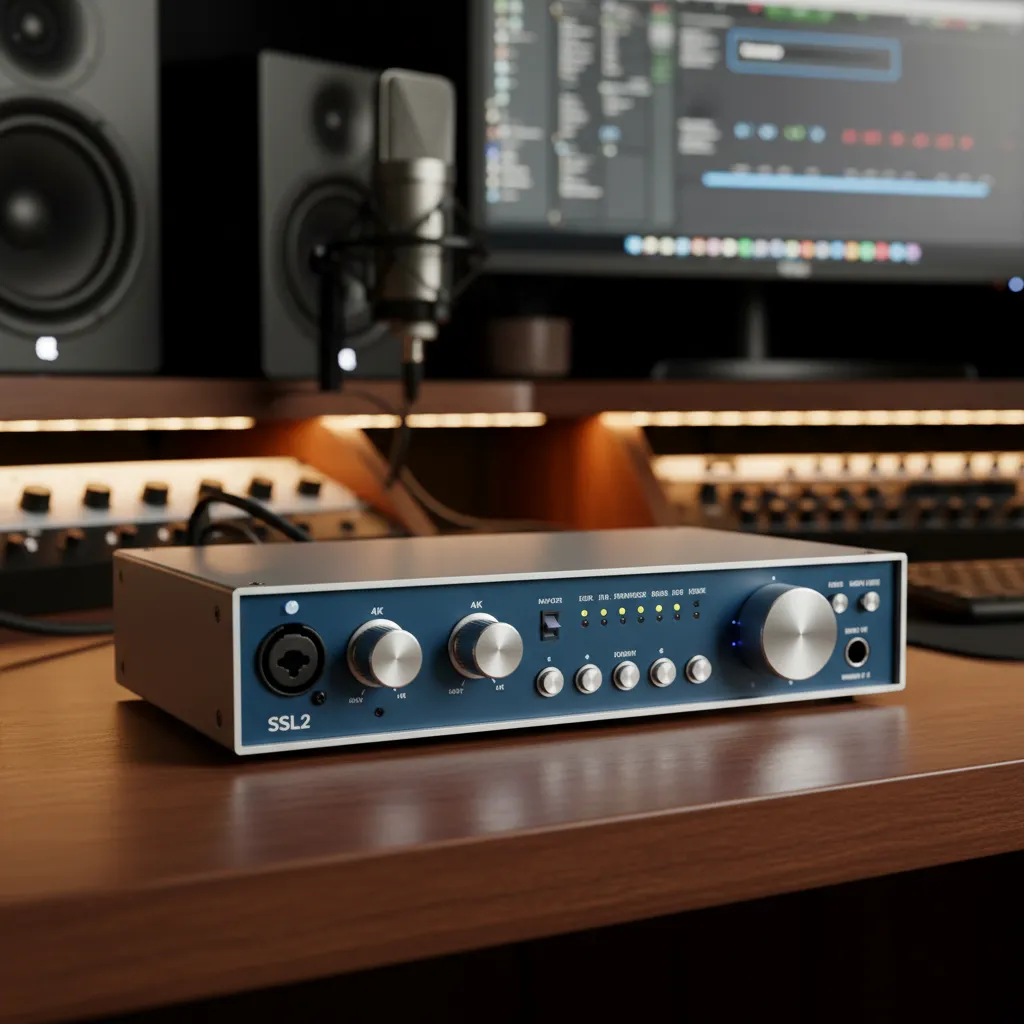
Solid State Logic (SSL) consoles have been the centerpiece of major recording studios for decades. The SSL2 allows home studio owners to capture a slice of that iconic sound. This 2-input, 2-output interface features a distinct, console-style layout with large, premium-feeling knobs and clear 5-segment LED meters.
The defining feature of the SSL2 is the Legacy 4K button on each channel. Engaging this circuit injects your audio with a high-frequency EQ boost and subtle harmonic distortion, directly inspired by the classic SSL 4000 series consoles. This instantly adds presence and bite to dull vocals or flat acoustic guitars. The preamps are exceptionally powerful, offering plenty of gain for quiet microphones. The included SSL Production Pack software bundle provides excellent value, featuring premium plugins to jumpstart your mixing process.
7. Arturia MiniFuse 2
Rounding out our list is the Arturia MiniFuse 2, a sleek and highly capable audio interface that offers massive value. Arturia, a company famous for its software synthesizers and MIDI controllers, has designed an interface that perfectly complements the modern digital musician. It is lightweight, compact, and available in multiple colors to match your studio aesthetic.
The MiniFuse 2 features a convenient built-in USB hub on the back panel, saving you a precious USB port on your computer by allowing you to plug your MIDI keyboard directly into the interface. The preamps are clean, offering a flat frequency response that accurately captures your source material. Furthermore, it comes with an incredibly generous software package, including Ableton Live Lite, Analog Lab Intro, and an array of high-quality effects, providing everything you need to start producing music immediately.
Comparison Table: Top 2 Channel Audio Interfaces
|
Interface Model |
Preamps |
Best Feature |
MIDI I/O |
Loopback |
|---|---|---|---|---|
|
Focusrite Scarlett 2i2 4th Gen |
2 |
Auto Gain / Clip Safe |
No |
Yes |
|
MOTU M2 |
2 |
ESS Sabre32 DACs / LCD Metering |
Yes |
Yes |
|
Behringer UMC204HD |
2 (MIDAS) |
Exceptional Budget Value |
Yes |
No |
|
Universal Audio Volt 2 |
2 |
Vintage Preamp Mode |
Yes |
No |
|
Audient iD4 MkII |
1 Mic, 1 JFET |
Console Mic Preamp / ScrollControl |
No |
Yes |
|
Solid State Logic SSL2 |
2 |
Legacy 4K Analog Enhancement |
No |
No |
|
Arturia MiniFuse 2 |
2 |
Built-in USB Hub |
Yes |
Yes |
Common Mistakes to Avoid When Buying an Audio Interface
Purchasing the right gear requires careful consideration. Avoid these common pitfalls when selecting your home studio hub:
- Ignoring Future Expansion Needs: It is easy to assume you only need two inputs right now. However, if you plan to record a drum kit or a full band in the future, you might quickly outgrow a small interface. Consider your long-term goals.
- Overlooking the Headphone Amplifier: Many budget interfaces skimp on the headphone amp. If you mix using high-impedance studio headphones, ensure the interface you choose can drive them effectively without introducing noise or distortion. Check Sound on Sound’s guide to headphones to understand impedance matching.
- Forgetting About Phantom Power: If you use condenser microphones, your interface must provide 48V phantom power. While most do, some ultra-budget models apply it globally rather than per channel, which could potentially damage older, sensitive ribbon microphones.
- Neglecting Driver Stability: Incredible hardware means nothing if the software constantly crashes. Research the manufacturer’s reputation for updating drivers, especially if you are using the latest operating system.
- Buying Based solely on Software Bundles: While a good bundle is a nice bonus, it should not dictate your choice. Prioritize the physical hardware quality, preamp clarity, and converter fidelity over free plugins.
Pro Tips for Optimizing Your Home Studio Setup
Once you have purchased your interface, use these professional tips to maximize your recording quality:
- Understand Gain Staging: Never record your audio so loud that the signal hits the red clipping indicator. Aim for an average input level around 18dBFS to 12dBFS. This leaves plenty of headroom for mixing and prevents harsh digital distortion.
- Utilize Direct Monitoring: Latency (the delay between playing a note and hearing it through the computer) can ruin a performance. Use your interface’s direct monitoring feature to listen to the raw input signal with zero delay while tracking.
- Invest in High-Quality Cables: Cheap, poorly shielded cables can introduce radio frequency interference and electrical hum into your recordings. Invest in durable, balanced XLR and TRS cables from reputable brands.
- Optimize Your Computer for Audio: Audio processing is demanding. Close unnecessary background applications, disable Wi-Fi if you are not using it, and increase your DAW’s buffer size during mixing to prevent audio dropouts. Refer to resources like Audio University for in-depth optimization tutorials.
- Acoustically Treat Your Room: The best interface in the world cannot fix a terrible-sounding room. Use acoustic panels, bass traps, and heavy curtains to reduce flutter echo and unwanted reverberation in your recording space.
Conclusion
Building a capable home studio starts with choosing the right gear. Whether you prioritize vintage analog character, pristine digital conversion, or robust routing options, there is a perfect option out there for you. We highly recommend the Focusrite Scarlett 2i2 or the MOTU M2 for their unparalleled balance of features and fidelity. Ultimately, the best budget 2 channel audio interface is the one that fits seamlessly into your workflow, inspires your creativity, and allows you to capture your absolute best performances. Now, connect your microphones, launch your software, and start creating incredible music today.
Frequently Asked Questions
1. What exactly does an audio interface do?
An audio interface acts as the translator between your analog recording equipment and your digital computer. It takes the analog signal from microphones and instruments, converts it into digital data via its analog-to-digital converters, and sends it to your recording software. It also handles the reverse process, sending digital audio out to your speakers and headphones.
2. Can I plug an electric guitar directly into an audio interface?
Yes. Most modern interfaces feature combination inputs that accept both XLR cables (for microphones) and 1/4-inch instrument cables (for guitars and basses). You simply need to engage the “Inst” or “Hi-Z” switch on the interface to ensure the impedance matches the guitar’s output properly.
3. Do I need an external preamp if I buy a budget interface?
For most applications, no. The built-in preamps on the interfaces listed in this guide are incredibly clean and provide enough gain for the vast majority of condenser and dynamic microphones. You would only need an external preamp to achieve a very specific analog coloration or if you are using notoriously low-output microphones like the Shure SM7B without an inline booster.
4. What is the difference between a 2-channel interface and a mixer?
An interface is primarily designed to convert analog audio into distinct digital tracks inside your computer software, allowing you to edit each track independently. A mixer is designed to blend multiple analog signals together into a single stereo output before sending it to speakers or a computer. Some modern mixers have built-in interfaces, but dedicated interfaces usually offer superior conversion quality.
5. What is the loopback feature, and do I need it?
Loopback is a feature that allows you to route the audio playing inside your computer (like a YouTube video or a Zoom call) back into your recording software alongside your microphone input. If you are a podcaster doing remote interviews, a live streamer, or a content creator making reaction videos, loopback is an essential feature.
6. Will an audio interface reduce latency?
Yes. Dedicated audio interfaces utilize specialized, highly optimized drivers (like ASIO on Windows or Core Audio on Mac) that process audio much faster than a computer’s standard built-in sound card. This drastically reduces the delay between playing an instrument and hearing the sound from your speakers.
7. Can I use a USB-C interface with an older USB-A computer?
In almost all cases, yes. Most USB-C audio interfaces operate on the USB 2.0 protocol and simply use the modern Type-C connector shape. You can typically use a standard USB-C to USB-A cable to connect the device to an older computer without experiencing any performance degradation.
8. What does 48V phantom power do?
Phantom power is an electrical current sent through an XLR cable from the audio interface to power the active circuitry inside condenser microphones. Dynamic microphones (like the SM58) and most ribbon microphones do not require phantom power to operate.
9. Is a higher sample rate (like 192kHz) always better?
Not necessarily. While higher sample rates capture more high-frequency information, they also create massively large file sizes and heavily tax your computer’s CPU. For the vast majority of music production, podcasting, and voiceover work, recording at 44.1kHz or 48kHz at a 24-bit depth is the standard and provides exceptional, professional audio quality.
10. How do I connect my studio monitors to my audio interface?
Most audio interfaces provide balanced 1/4-inch TRS (Tip-Ring-Sleeve) output jacks on the rear panel. You will need to use high-quality balanced cables to connect the left output of the interface to your left studio monitor, and the right output to the right monitor. Using balanced cables helps prevent electrical hum and interference. You can read more about proper cabling techniques at authoritative sites like Sweetwater’s inSync blog.


Leave a Reply